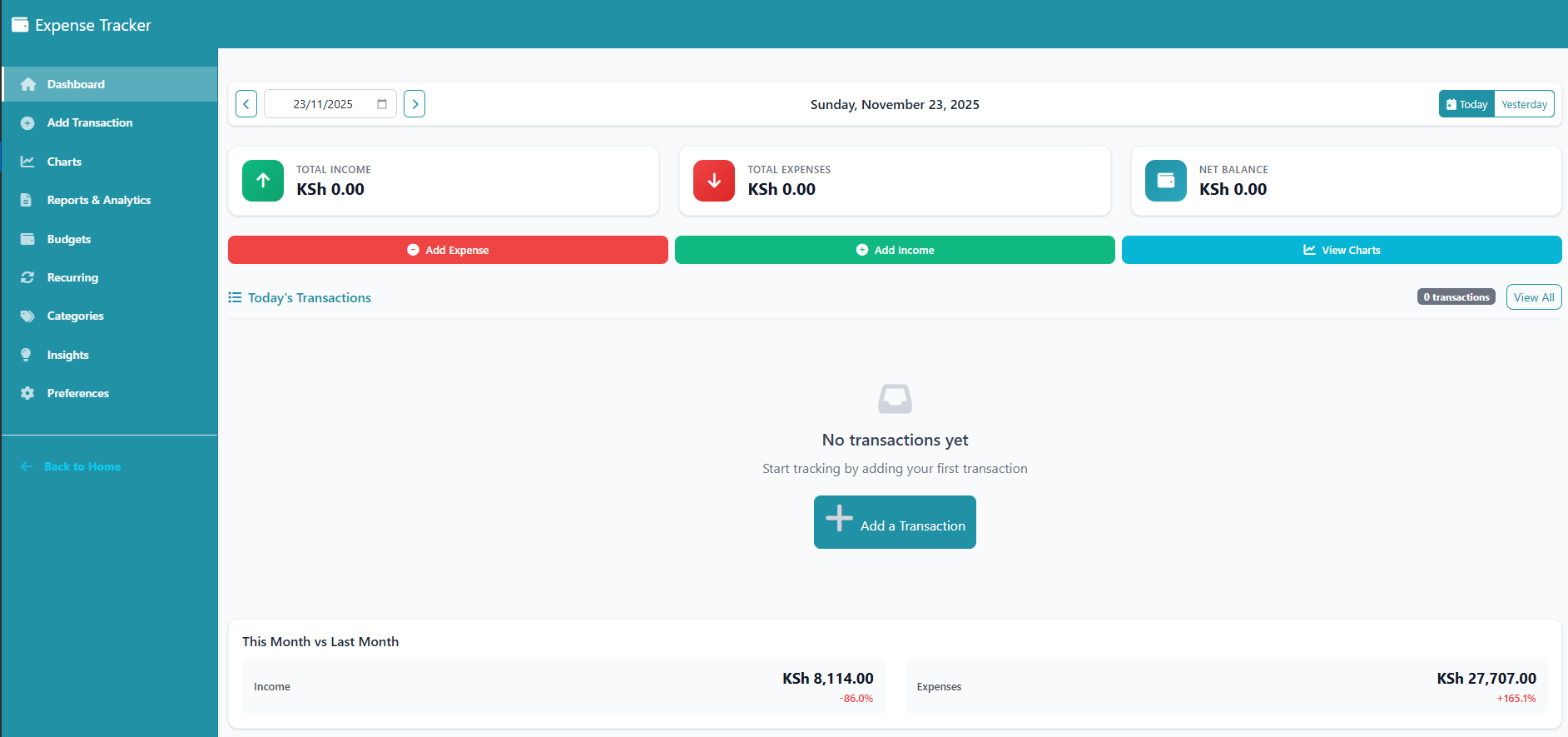
Tracking your daily expenses doesn’t have to be complicated. The ChamaSpace Expense Tracker is designed to give you a clean, simple way to understand where your money goes. Follow these quick steps to get started:
1. Sign Up or Log In
Visit ChamaSpace.com or open the ChamaSpace App on your phone.
If you’re new, sign up with your basic details.
If you already have an account, just log in.
2. Select “Expense Tracker” on the Dashboard
Once you’re in your main ChamaSpace dashboard, look for the Expense Tracker option.
Click or tap it.
3. Access the Expense Tracker Dashboard
You will be redirected to your personal Expense Tracker Dashboard, where you can immediately see:
- Today’s income
- Today’s expenses
- Your net balance
- Quick navigation to all key features
Key Features and How to Use Them
4. Add Income or Expenses
Go to Transactions and record any income or expense in seconds.
Choose a category, enter the amount, add a short description, and save.
5. View Charts & Trends
In the Charts section, you can visualize your spending over a selected period.
This helps you see patterns, unusual spikes, or categories that take most of your money.
6. Generate Reports & Analytics
The Reports & Analytics page gives you a detailed breakdown of your spending habits.
You can download these as PDF or CSV for personal tracking or budgeting.
7. Set and Monitor Budgets
Use the Budgets section to create spending limits for any category.
Once you start approaching your limit, the system alerts you so you don’t overspend.
8. Automate Recurring Payments
In the Recurring section, set transactions that repeat (rent, subscriptions, loans, school fees, etc.).
The system will auto-update them for you every cycle.
9. Customize Categories
Under Categories, add new expense or income categories that match your lifestyle (e.g., gym, grooming, date nights, tithe, freelance income).
10. Get AI-Like Spending Insights
The Insights section compares two different time periods and shows:
- Where you spent more
- Where you improved
- Key spending changes
- Patterns worth paying attention to
This is like having your own financial assistant.
11. Manage Your Preferences
In Preferences, you can:
- Change your display settings
- Adjust notification preferences
- Manage or delete your data anytime
Start Tracking Today
Whether you want to control impulse buying, monitor daily spending, or build a healthy financial habit, the ChamaSpace Expense Tracker gives you everything you need in one place.
Use it on the web at ChamaSpace.com or download the ChamaSpace App on Play Store to get started immediately.